
Stay Safe Online: Essential Cybersecurity Tips for the Everyday User
Personal cybersecurity is crucial for protecting your data and privacy online. Learn simple, effective tips to stay safe every day.
If you feel like your paycheck barely makes it to your account before disappearing, you’re not alone. Many people are in the same situation — and it’s not for lack of effort. In this post, I speak plainly about what to do when money is tight, debts pile up, and panic sets in.
Without promising miracles, I explain where to start: understanding where your money is going, organizing the essentials, and cutting back wherever possible (even if it seems small). I share practical tips on renegotiating debts, dealing with banks, and what to avoid (spoiler: easy loans don’t always help).
I also talk about mindset: getting out of the red isn’t just about math — it’s about building the habit of looking at money without guilt and working to improve little by little.
And I emphasize: even with a low income, it’s possible to start fresh. One step at a time, with patience and the right information, financial turnaround can happen.
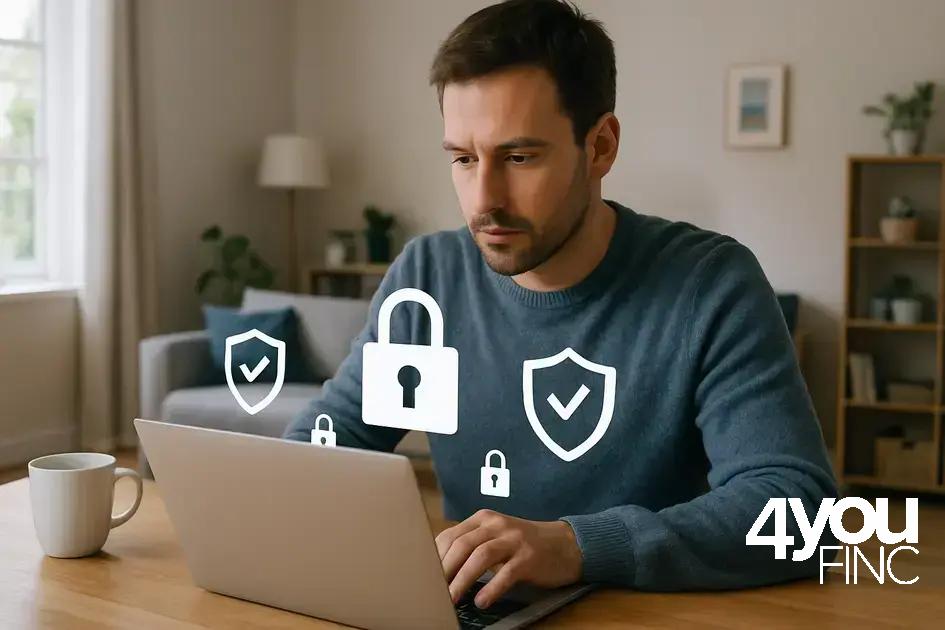
Personal cybersecurity often feels like a maze, but knowing simple steps can make a big difference. Ever wondered how to spot risky situations online? This guide breaks down essential tips for everyday users to keep data and privacy intact.
understanding personal cybersecurity basics
Personal cybersecurity starts with understanding basic concepts that protect your digital life. It involves guarding your personal information, devices, and accounts from unauthorized access and cyber threats. Knowing what data is valuable and how it can be targeted is the first step. For example, your passwords, personal documents, and financial details are prime targets for cybercriminals.
Key elements of personal cybersecurity
Passwords act like keys to your digital home, so choosing strong, unique ones is essential. Avoid common words or easily guessable numbers, and never reuse passwords across important accounts.
Software updates keep your devices secure by fixing vulnerabilities that hackers exploit. Regularly update your operating system, apps, and antivirus software.
Secure connections protect your data when you browse the internet. Always look for https:// in web addresses and avoid public Wi-Fi networks for sensitive activities.
Backup data regularly to ensure you can recover files if your device is lost or compromised. Use cloud services or external drives to keep copies safe.
Understanding these basics sets a strong foundation for building more advanced defenses. With simple habits, you significantly reduce the risk of falling victim to phishing, malware, and identity theft.
common online threats and how to spot them
Many people face online threats daily, but recognizing them early can protect your personal information and devices. One common threat is phishing, where attackers send fake emails or messages that look real, trying to trick you into giving passwords or credit card details. Always check the sender’s address and avoid clicking on suspicious links.
Malware is another serious risk. This software can harm your computer or steal data. It often comes from downloading untrusted files or visiting unsafe websites. Using updated antivirus software helps block malware.
Ransomware locks your files and demands payment to unlock them. Regular backups and antivirus protection can reduce the damage if this happens.
Social engineering attacks trick you into sharing secrets by pretending to be someone you trust. Be cautious when giving out personal info over phone or email.
Fake websites mimic real ones to steal login info. Always type addresses yourself and verify the website’s security by looking for “https”.
Understanding these threats and how to spot them is a vital step in maintaining your personal cybersecurity.
creating strong and memorable passwords
Creating strong passwords is one of the simplest yet most effective ways to protect your online accounts. A strong password should be at least 12 characters long and include a mix of uppercase letters, lowercase letters, numbers, and symbols. Avoid using common words, names, or dates that can be easily guessed.
Memorability is important too. You can create a password phrase made up of random words or a sentence that only you understand. For example, turning a phrase like “I love coffee at 7am!” into a password like Ilc@7am! makes it both strong and easy to remember.
Tips for managing your passwords
Using a password manager can help you generate, store, and autofill complex passwords securely. This way, you only need to remember one master password. Change passwords regularly, especially for sensitive accounts such as email and banking.
Never share your passwords with others and avoid writing them down in places where they can be easily found. Using two-factor authentication (2FA) adds an extra layer of protection by requiring a second step to verify your identity.
By creating strong, unique passwords and managing them well, you greatly reduce the risk of unauthorized access to your personal data.
using two-factor authentication effectively
Two-factor authentication (2FA) adds an extra layer of security to your online accounts by requiring two forms of verification before access. This usually means entering your password plus a code sent to your phone or generated by an app. This makes it much harder for hackers to break in, even if they have your password.
Many popular services like email providers, social media, and banking platforms support 2FA. To enable it, visit the security settings of your account and follow the instructions to link your phone number or authentication app.
Types of two-factor authentication
SMS codes are sent via text message and are the most common method. While better than no 2FA, SMS can be vulnerable to interception.
Authentication apps like Google Authenticator or Authy generate time-sensitive codes on your device. They are more secure than SMS because no code is sent over the network.
Hardware tokens are physical devices that generate or store codes. These offer the highest security but may not be practical for everyday users.
Always keep backup options, like recovery codes, in case you lose access to your phone or device. Using 2FA greatly reduces the risk of unauthorized access and protects your personal information.
safe browsing habits to protect your data
Safe browsing habits are key to protecting your personal data from online threats. Always make sure to use websites that start with “https://”, as this indicates a secure connection that encrypts information you send or receive.
Avoid clicking on suspicious links in emails, messages, or ads. These links can lead to harmful sites designed to steal your information or install malware on your device.
Use a trusted and updated web browser with built-in security features. Browsers like Google Chrome, Firefox, and Microsoft Edge regularly update to protect users from phishing sites and dangerous downloads.
Tips for safer browsing
Turn on private or incognito mode when accessing sensitive information on shared or public computers to prevent storing browsing history and cookies.
Clear your cookies and cache regularly to remove stored data that could be exploited by attackers. Avoid saving passwords in browsers, opting instead for a secure password manager.
Be cautious about the information you share on websites and limit sharing on social media to prevent data from being used in identity theft or social engineering attacks.
Using a reliable VPN (Virtual Private Network) encrypts your internet traffic and hides your IP address, adding another layer of privacy especially when using public Wi-Fi networks.
Maintaining good browsing habits helps keep your data safe and reduces the risk of falling victim to online attacks.
protecting your devices from malware and hacks
Protecting your devices from malware and hacks is essential to keep your information safe. Malware is malicious software designed to harm or steal data from your computer, smartphone, or tablet. To defend against it, always keep your operating system and apps updated, as updates often fix security flaws.
Install a reputable antivirus program and run regular scans to detect and remove threats. Avoid downloading files or apps from unknown sources, as these may contain harmful software.
Tips to enhance device security
Be cautious when opening email attachments or clicking on links, especially from unknown senders. Phishing attacks often use malicious links to infect devices with malware.
Use strong passwords and enable two-factor authentication where available to prevent unauthorized access. Additionally, avoid using public Wi-Fi networks for sensitive activities unless connected through a trusted VPN.
Regularly back up important files to an external drive or cloud storage to protect against data loss from ransomware attacks. Finally, disable automatic connections to unknown devices and networks to reduce vulnerability.
By following these steps, you can reduce the risk of malware infections and hacking attempts, keeping your devices and data secure.
what to do if your security is compromised
If you suspect your security has been compromised, act quickly to minimize damage. The first step is to change your passwords immediately on all affected accounts and any others that use the same password.
Contact your bank or any financial institutions if you think your financial information might be at risk. Monitor your accounts closely for any unusual activity.
Secure your accounts and devices
Enable two-factor authentication on important accounts to add extra protection. Run a full virus and malware scan on your devices to detect and remove threats.
Check your email and social media for any unauthorized messages sent from your accounts and alert contacts if necessary.
Consider using a credit monitoring service to get alerts about changes to your credit report, which can help detect identity theft early.
If the breach involves personal data, report it to relevant authorities or platforms to follow up on the incident properly.
Taking these steps quickly can protect your information and help you regain control after a security breach.
Stay Protected and Informed
Personal cybersecurity is an ongoing effort that requires attention and good habits. By understanding common threats and taking simple steps like creating strong passwords and using two-factor authentication, you can greatly reduce your risk online.
Always stay alert and take immediate action if you suspect your security is compromised. These habits help protect your data, privacy, and peace of mind in today’s digital world.
Remember, keeping yourself safe online is a continuous process, but with the right tools and knowledge, it’s easier than you might think.